 Home
Home

Tracker Version 4
Objective testing and accurate documentation are more important, and more affordable, than ever. Tracker from JTech Medical gives you the tools to raise the level of your patient evaluations, documentation, outcomes tracking, patient education/retention and billable services.
- Home

- Products
- Software
- Tracker Version 4
- Tracker Version 4
- General Information
- Current Tracker Version
 Very helpful
  Could be better
  Not helpful
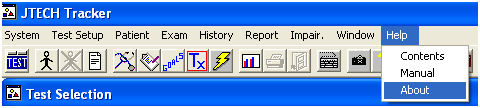
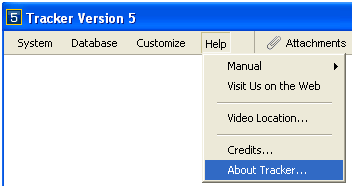
 You can also find the software versionfrom within the Tracker software. From the Main Menu (upper left-hand corner of the software), select “Help”. From the Help Menu select the “About” option to locate your Tracker software version.
Finding the version number in Tracker 4.51
Finding the software version number in Tracker 5
Add a Comment